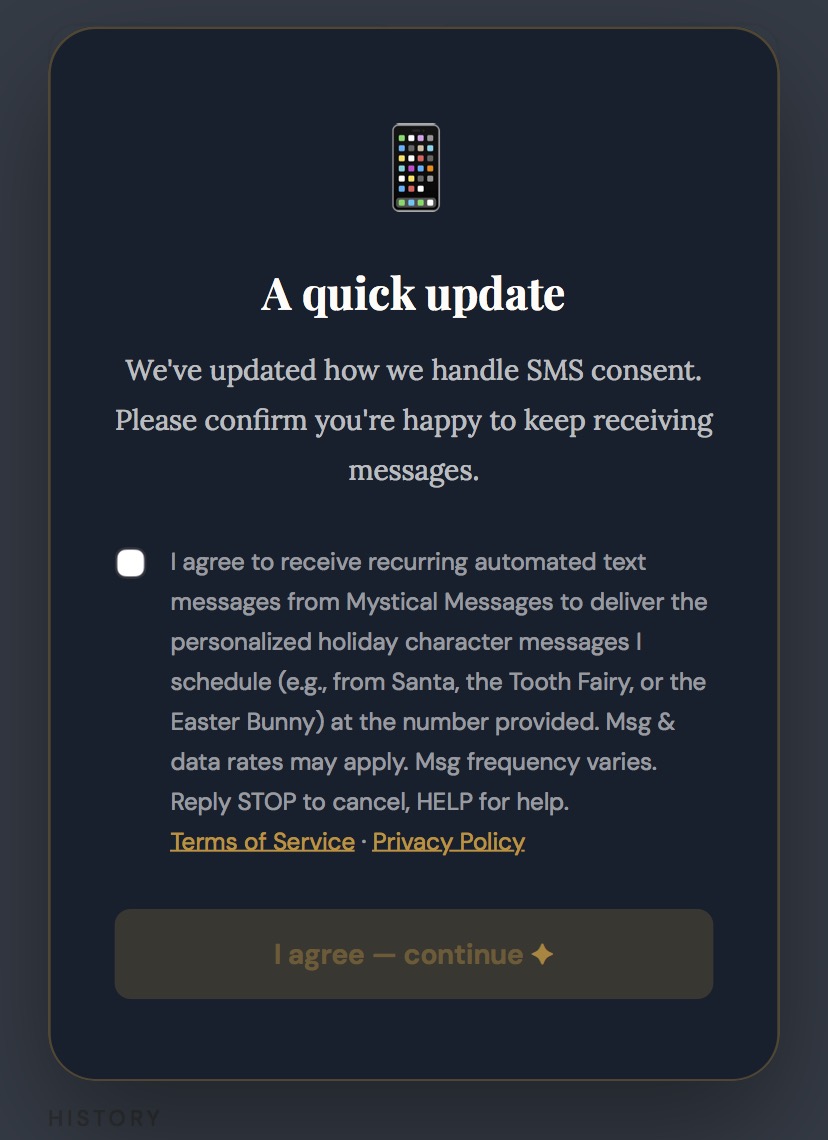
How parents opt in to text messages
Mystical Messages (operated by Mystical Texts LLC) sends personalized SMS messages from holiday characters —
Santa Claus, the Tooth Fairy, the Easter Bunny, and others — to the parents and guardians who request them.
Messages go only to the registered adult account holder; they are never sent directly to children.
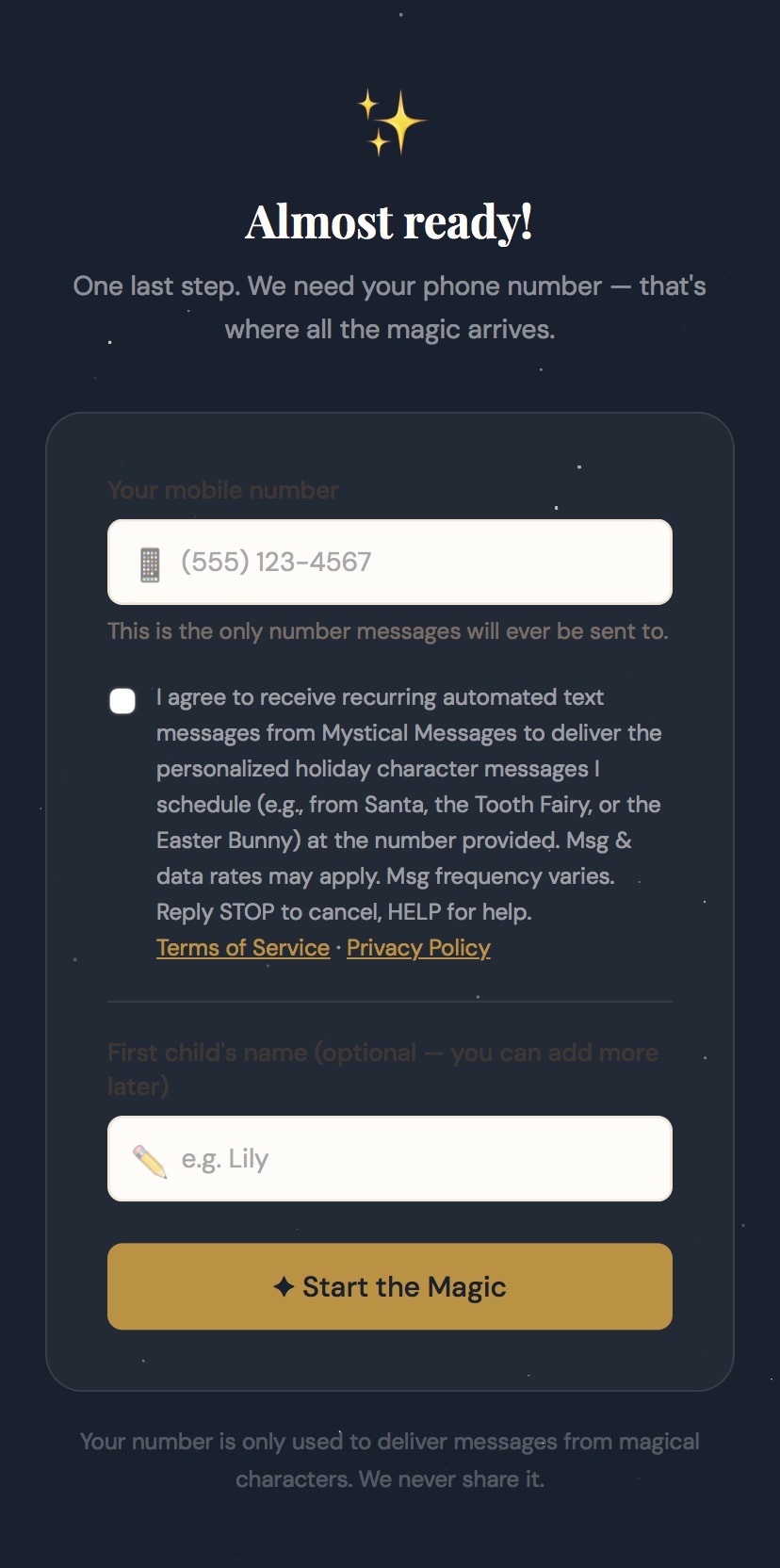
Consent is collected through the three paths documented below. In every path the consent checkbox is
unchecked by default and must be actively checked by the user. Consent is never a
condition of purchase or account creation.
When it appears: Shown when a parent or guardian finishes creating their account. This is the primary opt-in path.
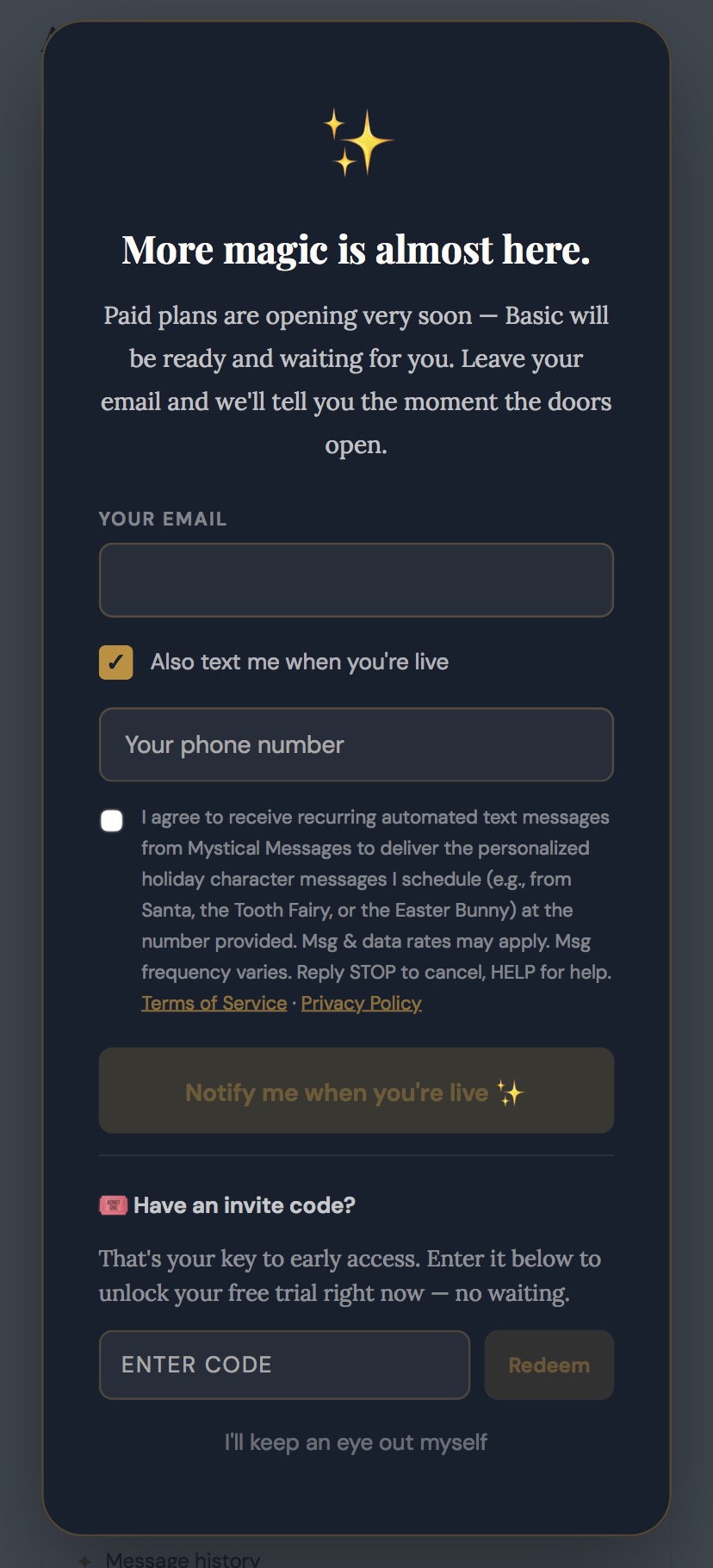
When it appears: Shown to visitors who ask to be notified when paid plans open. Opting into texts here is separate and optional.
The "Also text me when you're live" toggle is a display control that reveals the phone field and the consent checkbox below it — it is not the SMS consent itself. The binding consent checkbox shown here is unchecked by default and must be actively checked to opt in.
When it appears: Shown once, on next login, to existing users with no SMS consent on record. No messages are sent until they confirm.